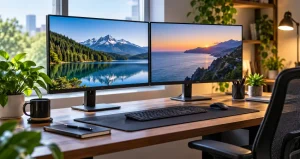
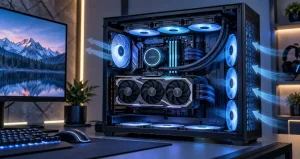
Ultrawide gaming monitors have developed into more than simply larger alternatives to traditional displays. Their wider field of view can change how a game feels, particularly in racing, simulation, exploration, and cinematic single-player titles. Instead of concentrating everything inside a standard 16:9 frame, a properly supported ultrawide display gives you additional horizontal space that can make virtual environments feel more natural and expansive.
The experience is not determined by width alone. Resolution, refresh rate, panel technology, response behavior, graphics-card performance, HDR capability, and game support all influence whether an ultrawide monitor actually feels immersive. A large screen with poor motion handling can be less satisfying than a smaller model with faster pixels and better variable refresh rate performance.
The most useful way to choose an ultrawide monitor is therefore to think about the complete gaming system rather than one specification. From an enthusiast evaluation perspective, matching the monitor to the games you play and the performance your PC can realistically deliver matters more than purchasing the largest or highest-resolution panel available.
Why Ultrawide Monitors Feel More Immersive?
Most conventional monitors use a 16:9 aspect ratio, while many gaming ultrawides use 21:9. Super-ultrawide models can extend to 32:9. The additional width fills more of your peripheral vision when you sit at an appropriate distance. In supported games, this lets you see more of the environment instead of merely stretching the same picture across a larger surface.
This difference is especially noticeable in driving games, flight simulators, open-world adventures, strategy titles, and visually detailed role-playing games. A wide cockpit view, landscape, or battlefield can feel considerably more convincing when the display occupies more of your natural viewing area.
21:9 Versus 32:9 For Gaming
A 21:9 monitor is often the easiest entry point into ultrawide gaming. A 34-inch model with a 3440 x 1440 resolution provides significantly more horizontal workspace than a standard 1440p monitor without creating an unusually demanding desktop setup. It also works comfortably on many normal-sized desks.
You May Like: Best Portable Monitors For Gaming On The Go
A 32:9 display offers a much wider experience. Common 49-inch models can use resolutions such as 5120 x 1440, effectively creating a large uninterrupted viewing surface. The experience can be exceptional in simulators and racing games, but the physical width requires more desk space and careful seating position.
Game compatibility should also be checked. Many modern PC titles support ultrawide resolutions correctly, but some menus, cutscenes, older games, or competitive titles may remain limited to a narrower presentation.
Resolution Has A Major Effect On GPU Performance
Resolution is one of the most important specifications because every additional pixel must be rendered by the graphics card. A 3440 x 1440 monitor contains noticeably more pixels than standard 2560 x 1440. Moving to 5120 x 1440 or 5120 x 2160 increases the rendering workload further.
This means a monitor capable of a very high refresh rate does not automatically guarantee very high frame rates. Graphically demanding games may require reduced visual settings, resolution scaling, or modern upscaling technologies to maintain smooth performance.
You May Like: Dual-Monitor Setups That Boost Your Workflow
Before buying, check benchmarks for your graphics card at a resolution close to the monitor’s native pixel count. This gives a far more realistic expectation than comparing monitor refresh rates alone.
How Much Refresh Rate Do You Actually Need?
Refresh rate determines how frequently the monitor can update the image. Moving from 60 Hz to 120 Hz or above produces an obvious improvement in motion smoothness and responsiveness. For many immersive games, the 144 Hz to 180 Hz range already provides an excellent experience.
Faster 240 Hz ultrawides are increasingly available and can be valuable for players who also enjoy fast action games. However, reaching extremely high frame rates at ultrawide resolutions requires substantial graphics performance. A balanced 165 Hz or 180 Hz setup can therefore deliver a better overall experience than purchasing a faster monitor that the PC rarely drives near its limit.
OLED Vs. IPS And VA Panels
OLED has become particularly attractive for immersive gaming because individual pixels can switch off completely. Dark scenes can therefore produce extremely deep blacks and excellent contrast, while pixel response is exceptionally fast. Space environments, night scenes, caves, and high-contrast HDR sequences can look especially impressive.
IPS remains a strong option for gamers who also use the display extensively for productivity. It generally provides consistent colors, good viewing angles, clear text, and no permanent image-retention concern associated with OLED technology.
VA panels commonly provide stronger native contrast than IPS while remaining available at competitive prices. Their main weakness can be slower transitions in very dark areas, although performance varies considerably between individual monitors.
OLED Burn-In Should Be Considered Realistically
OLED burn-in should neither be ignored nor treated as an automatic reason to avoid the technology. Permanent retention is most strongly associated with repeated static elements displayed for extended periods. Desktop toolbars, fixed application interfaces, and game HUD elements can contribute to cumulative wear.
For gaming-focused mixed usage, practical precautions include using sensible brightness levels, allowing the monitor’s built-in panel-maintenance functions to operate, enabling screen sleep, using a screensaver, and avoiding static desktop content unnecessarily. Users who leave fixed applications visible for many hours every day may still find an IPS or VA monitor more appropriate.
Variable Refresh Rate Is Essential
Variable refresh rate allows a compatible monitor to synchronize its refresh behavior with the graphics card’s frame output. Technologies such as AMD FreeSync and NVIDIA G-SYNC Compatible can reduce visible tearing and make changing frame rates feel smoother.
This is particularly useful on ultrawide displays because demanding resolutions can cause frame rates to fluctuate significantly between scenes. A game moving between 80 and 120 frames per second can still feel consistently smooth when VRR is working correctly.
When evaluating a monitor, look beyond the presence of a VRR logo. Check its supported refresh range, behavior at lower frame rates, and whether VRR works correctly through the connection you intend to use.
HDR Quality Depends On More Than The HDR Label
HDR can significantly improve immersion by preserving brighter highlights, richer colors, and deeper shadow detail. However, monitors vary widely in HDR capability. A basic HDR compatibility label does not guarantee dramatic HDR performance.
OLED displays naturally perform well in dark-scene contrast because each pixel controls its own light. Advanced Mini LED displays can also produce impressive HDR results by using many local-dimming zones and high peak brightness.
Windows 11 includes HDR controls and calibration tools, so users with a capable display should calibrate the system rather than relying entirely on factory settings. Proper setup can make a noticeable difference in highlight detail and dark-scene visibility.
Curvature Can Improve The Ultrawide Experience
Curved screens make practical sense at ultrawide dimensions. On a large flat display, the far edges sit at a noticeably different distance from your eyes than the center. Curvature brings those edges toward the viewer and can make the entire screen easier to take in without excessive head movement.
Moderate curves generally work well for multipurpose 34-inch displays, while larger 45-inch and 49-inch models may benefit from stronger curvature. The ideal choice still depends on viewing distance and personal comfort.
Connectivity Should Not Be An Afterthought
High resolution combined with high refresh rate requires substantial display bandwidth. Before purchasing, confirm that your graphics card and monitor support compatible DisplayPort or HDMI modes at the resolution and refresh rate you expect to use.
Also check whether important features such as HDR, full color depth, and variable refresh rate remain available at maximum refresh. Some monitors may use display-stream compression or specific port configurations to reach their highest operating modes.
A Practical Buying Strategy
Start with your graphics card rather than the monitor. Determine the approximate frame rates your PC achieves in the games you play, then select a resolution and refresh rate that make sense for that performance level.
For a balanced gaming setup, 34-inch 3440 x 1440 remains a highly practical format. Larger 45-inch and 49-inch screens provide stronger visual impact but require more GPU performance, desk depth, and careful positioning. Prioritize response quality, VRR performance, HDR capability, comfortable curvature, and warranty coverage before paying for secondary features.
Frequently Asked Questions
1. Is an ultrawide monitor better for immersive gaming?
It can be significantly more immersive when a game properly supports the wider aspect ratio. The additional horizontal view fills more peripheral vision and reveals more of the environment. The advantage is strongest in racing, simulation, exploration, and cinematic games.
2. Is 3440 x 1440 good enough for modern gaming?
Yes. It provides a strong balance between image detail and graphics-card requirements. It is noticeably sharper and wider than standard 1080p while remaining considerably easier to drive than extremely high-resolution ultrawide formats.
3. Should I choose a 34-inch or 49-inch ultrawide?
Choose 34 inches if you want easier desk placement, lower GPU requirements, and broad everyday usability. A 49-inch model is better suited to users who specifically want an expansive simulation-style experience and have enough physical space.
4. Is OLED worth choosing for ultrawide gaming?
OLED is particularly attractive for gaming because of its exceptional contrast, fast pixel response, and strong dark-scene performance. Users who spend most of the day displaying static productivity interfaces should also consider IPS or VA alternatives.
5. Is 165 Hz enough for an ultrawide gaming monitor?
For most players, yes. A well-performing 165 Hz display already offers very smooth motion. Higher refresh rates become more useful when your computer can consistently produce frame rates high enough to take advantage of them.
6. Do all games support 21:9 displays?
No. Support has improved considerably, but individual games can handle ultrawide formats differently. Some titles display gameplay correctly while keeping menus or cinematic scenes at 16:9. Checking compatibility for your most-played games before purchasing is sensible.
7. Does an ultrawide monitor require a powerful GPU?
The requirement depends mainly on resolution. A 3440 x 1440 display requires more graphics performance than standard 1440p, while resolutions such as 5120 x 1440 and 5120 x 2160 are substantially more demanding. Modern upscaling can help improve performance in supported games.
8. How important is VRR on an ultrawide monitor?
VRR is highly valuable because ultrawide resolutions can produce larger frame-rate variations in demanding scenes. Synchronizing monitor refresh with GPU output reduces tearing and helps gameplay remain visually smooth even when frame rates are not perfectly constant.
9. Is a curved ultrawide better than a flat one?
Curvature becomes increasingly useful as screen width increases. It keeps the outer portions of a large display more directly oriented toward the viewer and can reduce the feeling that the corners are unusually far away. Preference still varies by user and viewing distance.
10. What should I check before buying an ultrawide gaming monitor?
Check resolution, refresh rate, panel type, VRR range, HDR performance, response behavior, available ports, physical dimensions, curvature, stand adjustment, and warranty terms. Most importantly, confirm that your graphics card can deliver acceptable performance at the monitor’s native resolution.
Conclusion
Ultrawide monitors can create one of the most engaging PC gaming experiences available, but width alone does not create immersion. Resolution, frame rate, panel behavior, HDR, VRR, curvature, and GPU capability need to work together. A carefully matched 34-inch setup can outperform a more extreme display connected to hardware that cannot fully support it.
Choose around the games you actually play, the performance your system can deliver, and the way you use your computer outside gaming, and an ultrawide monitor can become a meaningful upgrade rather than simply a larger screen.