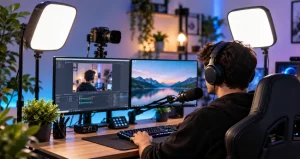
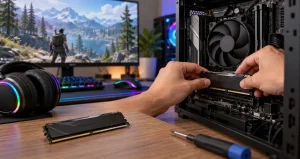
In fast competitive games, what you see on the screen is already the result of a chain of events involving your mouse or keyboard, processor, graphics card, game engine, and monitor. A high-refresh monitor cannot control every part of that chain, but it can shorten the time between displayed frames and make movement easier to follow. For players who rely on quick visual information, that difference can make a gaming setup feel noticeably more responsive.
However, buying the monitor with the biggest refresh-rate number is not automatically the smartest choice. A 360Hz or 480Hz display with weak pixel response behavior may produce less useful motion clarity than a well-tuned lower-refresh model. Likewise, an extremely fast monitor provides limited practical value when the computer rarely produces enough frames to take advantage of it. The better approach is to treat refresh rate as one part of a complete responsiveness system.
This guide explains how high-refresh monitors affect competitive play, what specifications actually matter, and how to choose a display that matches your games, hardware, and performance priorities.
Why Refresh Rate Matters in Competitive Games?
A monitor’s refresh rate describes how many times it can update the displayed image each second. At 60Hz, each complete refresh takes approximately 16.67 milliseconds. At 144Hz, that falls to about 6.94 milliseconds. At 240Hz, it becomes roughly 4.17 milliseconds, while 360Hz reduces it to about 2.78 milliseconds. The shorter interval allows the screen to present newer visual information more frequently.
The effect is particularly useful in games involving rapid camera movement, tracking, aiming, directional changes, and fast reactions. Instead of receiving relatively large visual updates, the player sees more intermediate positions as objects move across the screen. Movement can therefore appear more continuous and easier to visually track.
Refresh Rate Is Not the Same as Frame Rate
Refresh rate and frame rate are closely connected, but they describe different things. Refresh rate is a capability of the monitor, while frames per second describe how quickly the computer is producing frames. A 360Hz monitor can refresh up to 360 times per second, but that does not mean the computer will automatically produce 360 FPS.
You May Like: Best Portable Monitors For Gaming On The Go
This distinction should influence purchasing decisions. Someone whose favorite game typically runs around 170 to 220 FPS may gain more practical value from an excellent 240Hz display than from spending considerably more on an extreme-refresh model. Competitive players should therefore test their actual game performance before choosing a refresh-rate target.
Why Pixel Response Time Matters Just as Much?
Refresh rate tells you how quickly the monitor requests a new image. Pixel response tells you how quickly individual pixels can actually transition to the required state. These are not interchangeable measurements.
Independent display testing demonstrates that two monitors operating at the same refresh rate can produce significantly different motion clarity when their pixel response characteristics differ. A slower panel can leave visible trailing or blur even though its advertised refresh rate appears impressive.
This is why experienced monitor evaluation should focus on measured response behavior rather than relying only on the response-time figure printed on a product page. Overdrive tuning also matters. Aggressive overdrive can reduce ordinary trailing while introducing bright or dark inverse artifacts around moving objects.
You May Like: Dual-Monitor Setups That Boost Your Workflow
Understanding the Real Advantage of 144Hz, 240Hz, and 360Hz
The improvement from 60Hz to 144Hz is substantial because frame duration drops dramatically. Moving from 144Hz to 240Hz still improves temporal resolution, but the numerical reduction in frame time becomes smaller. The move from 240Hz to 360Hz is smaller again.
This is an example of diminishing returns rather than a point where additional refresh rate suddenly becomes useless. RTINGS calculates minimum center-screen input timing of approximately 3.47 milliseconds at 144Hz, 2.09 milliseconds at 240Hz, and 1.39 milliseconds at 360Hz.
For many players, therefore, 144Hz to 180Hz represents a strong general-purpose range, 240Hz is highly attractive for serious competitive play, and 360Hz or higher becomes most relevant when the game and PC can consistently operate at exceptionally high frame rates.
System Latency Matters More Than Monitor Latency Alone
A monitor is only one part of the responsiveness pipeline. Input devices, CPU processing, game-engine behavior, GPU rendering, display processing, and the panel itself all contribute to the delay between an action and its visible result.
NVIDIA describes system latency as the end-to-end period between input and the resulting pixel change on the screen. Its Reflex measurement system was developed around this broader measurement rather than judging responsiveness from frame rate alone.
This creates an important practical lesson: upgrading from a fast 240Hz monitor to an even faster display will not solve latency caused elsewhere in the system. Competitive setups work best when CPU performance, GPU workload, game settings, input devices, and display performance are optimized together.
Frame-Time Consistency Can Be More Valuable Than a Higher Peak FPS
A high FPS counter can look impressive while hiding unstable delivery. If frame production repeatedly jumps between fast and slow intervals, perceived motion may feel less consistent than the average frame-rate number suggests.
For this reason, competitive players should examine frame-time stability rather than chasing the highest possible peak. A system delivering a controlled, repeatable flow of frames can provide a more predictable visual experience. This becomes increasingly important at very high refresh rates because each refresh window is extremely short.
Variable Refresh Rate and Adaptive Sync
Variable refresh rate technology allows the monitor to adjust its refresh timing to better correspond with the frames being delivered by the graphics system. This can reduce visible tearing and improve smoothness when frame rate varies.
Certification can also provide useful information. VESA’s AdaptiveSync certification testing includes factors such as refresh rate, flicker, gray-to-gray response behavior, overshoot, undershoot, dropped frames, and frame-rate jitter rather than evaluating refresh rate in isolation.
For buyers, that reinforces a useful principle: a quality competitive display should perform well across several measurable areas instead of depending on one headline specification.
OLED Versus Fast LCD Panels for Competitive Play
Modern competitive monitors increasingly include both very fast LCD models and high-refresh OLED displays. OLED technology can deliver extremely fast pixel transitions, which helps moving objects remain visually clean. LCD panels can also offer excellent competitive performance, especially models designed specifically for high-speed operation.
The decision should not be reduced to panel technology alone. Examine actual response measurements, refresh range, brightness behavior, resolution, screen size, motion-processing features, and long-term usage requirements. A fast panel with good tuning is more meaningful than choosing a display simply because of the technology label on the box.
Resolution and Screen Size Need to Match Your Priorities
A 24-to-25-inch 1080p display remains practical when maximum frame rate and compact visual focus are priorities. A 27-inch 1440p monitor can provide a useful balance between image detail and high-refresh performance, provided the graphics card can maintain the required frame rate.
Higher resolutions increase rendering workload. Before purchasing a 1440p or 4K high-refresh monitor, test the games you actually play at your intended settings. The monitor should complement your computer rather than create a performance target the system rarely reaches.
How to Choose a High-Refresh Monitor?
Start by measuring the frame-rate range of your main competitive games. Then compare monitors using independent measurements for input lag, pixel response, overshoot, and motion clarity. Check whether adaptive sync works across the frame-rate range you commonly use and verify that your graphics card and connection support the desired resolution and refresh rate.
Once installed, confirm that the operating system is actually running the monitor at its highest intended refresh rate. Test the available overdrive settings rather than automatically choosing the strongest mode. The fastest setting is not always the clearest because excessive overdrive may create visible artifacts.
Frequently Asked Questions
1. Is 144Hz enough for competitive gaming?
Yes. A good 144Hz monitor already provides a major responsiveness improvement over 60Hz. For players entering competitive PC gaming, it remains a strong starting point. Players capable of maintaining substantially higher frame rates may benefit from 240Hz or faster displays, but monitor quality and response behavior should still be considered alongside refresh rate.
2. Is 240Hz noticeably smoother than 144Hz?
The difference can be visible, particularly during quick camera movements and when tracking fast objects. However, it is smaller than the jump from 60Hz to 144Hz because the reduction in frame duration becomes progressively smaller at higher refresh rates. Your computer also needs to generate sufficiently high frame rates for the monitor’s extra capability to be fully useful.
3. Do I need 360 FPS for a 360Hz monitor?
No. A 360Hz monitor can still operate when the game produces fewer than 360 frames per second, especially when variable refresh technology is available. However, maintaining frame rates closer to the monitor’s refresh capability generally makes better use of its speed. Buying 360Hz makes the most sense when your primary games regularly run at very high frame rates.
4. Does a higher refresh rate automatically mean lower input lag?
A higher refresh rate creates the potential for lower display latency because each refresh cycle is shorter, but refresh rate does not guarantee low total latency. Monitor processing, pixel response, computer performance, peripherals, and the game’s rendering pipeline all contribute to the complete experience. Independent latency measurements are therefore more useful than specifications alone.
5. Is response time more important than refresh rate?
Neither specification should be evaluated alone. Refresh rate determines how frequently new frames can be presented, while pixel response determines how effectively the panel transitions between those frames. A high-refresh display with slow pixel transitions can still show noticeable blur, so strong performance requires both fast refreshing and well-controlled pixel behavior.
6. Should I use the monitor’s fastest overdrive mode?
Not automatically. Strong overdrive can accelerate pixel transitions but may create inverse ghosting or bright trails around moving objects. A medium or balanced setting sometimes produces cleaner motion overall. Independent monitor tests can help identify which mode performs best across different refresh rates.
7. Is 1080p still useful for high-refresh competitive gaming?
Yes. 1080p requires less graphics processing than higher resolutions, making extremely high frame rates easier to achieve. It can be particularly practical on 24-to-25-inch displays. Players who want greater visual detail and have stronger graphics hardware may prefer 1440p while still maintaining a high refresh rate.
8. Does adaptive sync help competitive players?
It can. Adaptive sync coordinates display refreshes more closely with frame delivery, which can reduce tearing and improve smoothness during fluctuating performance. Its usefulness depends on the game, frame-rate range, display implementation, and player preference, so it is worth testing both enabled and disabled configurations.
9. What should I upgrade first, the monitor or graphics card?
Check your current performance first. If your computer already produces high frame rates but you are using a 60Hz or 75Hz monitor, a monitor upgrade can provide an immediate visual improvement. If your system struggles to reach your existing monitor’s refresh range, improving processing or graphics performance may provide greater benefit before moving to an even faster display.
10. What refresh rate is the best practical target for competitive players?
There is no universal number. Around 144Hz to 180Hz works well for broad gaming use, while 240Hz offers an appealing balance for players focused heavily on fast competitive titles. Rates of 360Hz and above are more specialized and become increasingly valuable when paired with powerful hardware, consistently high frame rates, excellent panel response, and a highly optimized system.
Conclusion
High-refresh monitors can make competitive games feel smoother, clearer, and more responsive, but refresh rate should never be treated as the only measure of display quality. Pixel response, input lag, frame-time consistency, adaptive-sync performance, resolution, and the capabilities of the computer all contribute to the final experience.
For most buyers, the smartest monitor is not necessarily the one with the largest number printed on the box. It is the display whose refresh rate, motion performance, resolution, and response characteristics align with the frame rates their system can realistically sustain. Choosing around that complete performance chain produces a more useful upgrade than chasing specifications in isolation.