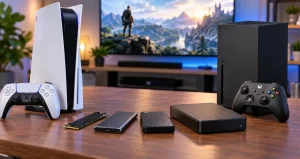
Choosing a 4K gaming monitor for a console is surprisingly different from choosing one for a gaming PC. PlayStation 5, PS5 Pro, and Xbox Series X players do not need to chase extremely high refresh rates simply because a monitor advertises 240Hz or more. For modern console gaming, the more important target is excellent 4K image quality combined with reliable 120Hz operation, HDMI 2.1 connectivity, variable refresh rate support, low input lag, and good motion handling.
That changes how console players should spend their money. A premium 240Hz OLED monitor can produce spectacular images, but much of its refresh-rate capability may remain unused by a console. Meanwhile, a carefully chosen 144Hz IPS monitor with proper HDMI 2.1 support can provide nearly everything a console needs at a considerably more accessible price. Current consoles generally top out at 120Hz, making performance at 120Hz much more important than the maximum number printed on the monitor box.
The best choice therefore depends less on finding the monitor with the largest specification numbers and more on matching the display to your room, gaming habits, screen-size preference, HDR expectations, and whether you also plan to connect a gaming PC.
What Console Players Actually Need From a 4K Monitor?
For a PS5, PS5 Pro, or Xbox Series X setup, I would prioritize five things: native 3840 x 2160 resolution, HDMI 2.1, reliable 120Hz support, VRR, and strong response-time performance. HDMI 2.1 is particularly important because it allows compatible displays to accept the high-bandwidth 4K 120Hz signals used by current consoles. VRR can also make changing frame rates look smoother by reducing visible tearing.
HDR deserves more careful consideration. A monitor can technically accept an HDR signal without producing truly impressive HDR. Good HDR depends heavily on contrast, black levels, brightness, color volume, and local control of light. This is one reason OLED monitors can look dramatically better in dark cinematic games than basic edge-lit IPS alternatives.
ASUS ROG Swift OLED PG27UCDM
The ASUS ROG Swift OLED PG27UCDM is one of the strongest options for players who want premium image quality without moving to a large 32-inch screen. It uses a 26.5-inch QD-OLED panel with a 3840 x 2160 resolution, up to 240Hz refresh rate, 0.03ms rated gray-to-gray response time, HDMI 2.1 connections, VRR technology, HDR10, and Dolby Vision support. ASUS also specifies a peak HDR brightness of up to 1,000 cd/m² under applicable conditions.
You May Like: Best Portable Monitors For Gaming On The Go
Independent testing also places this model among the strongest monitors for modern console gaming because it can accept 4K 120Hz signals while providing extremely fast pixel response and excellent OLED contrast.
The interesting point for console owners is that you are not buying it because your console needs 240Hz. You are buying it for the OLED picture quality, motion clarity, compact 4K pixel density, and the flexibility to connect a high-end PC later. If the monitor will only ever be attached to a console, its extra refresh-rate capability should be viewed as a bonus rather than a reason by itself to pay more.
ASUS ROG Swift OLED PG32UCDM Gen3
Players who prefer a larger display can consider the ASUS ROG Swift OLED PG32UCDM Gen3. It combines a 31.5-inch 3840 x 2160 OLED panel with a refresh rate of up to 240Hz, two HDMI 2.1 FRL ports, DisplayPort 2.1, adaptive-sync support, Dolby Vision, and USB-C connectivity with up to 90W power delivery. ASUS also lists a three-year warranty that includes panel burn-in coverage.
A 32-inch 4K screen is particularly appealing for console gaming because it provides more visual impact while still working comfortably on many desks. Adventure games, racing games, open-world environments, and visually detailed single-player releases benefit noticeably from the extra screen area.
You May Like: Dual-Monitor Setups That Boost Your Workflow
The main consideration is cost. If you are sitting close to your screen and prefer a compact setup, a 27-inch model can be more practical. If immersion matters more and desk depth allows it, 32 inches is arguably the sweet spot for experiencing 4K resolution from a typical desktop viewing distance.
Samsung Odyssey OLED G8 G80SD
Samsung’s 32-inch Odyssey OLED G8 G80SD is another attractive 4K OLED option. Samsung specifies UHD resolution, a refresh rate up to 240Hz, a rated 0.03ms gray-to-gray response time, HDMI 2.1 connectivity, G-SYNC compatibility, and AMD FreeSync Premium Pro support.
For console players, the value of this monitor again comes primarily from OLED characteristics rather than the full 240Hz ceiling. Fast pixel transitions help moving objects remain clear, while OLED’s ability to control individual pixels can provide convincing dark scenes and strong perceived contrast.
This type of monitor is especially suitable for someone who plays cinematic games in a controlled-light room but also wants enough performance for fast action. Players who spend many hours displaying fixed desktop elements should still understand OLED care practices and the manufacturer’s protection features before choosing any OLED display.
Gigabyte M32U
The Gigabyte M32U remains an interesting choice for console owners who want 32-inch 4K gaming without moving into premium OLED territory. It uses a 31.5-inch IPS-class panel with 3840 x 2160 resolution and refresh rates up to 144Hz. Gigabyte specifically lists 120Hz console support and provides two HDMI 2.1 connections. The monitor also includes DisplayPort, USB-C, a USB hub, built-in speakers, and KVM functionality.
This is the kind of specification balance that makes sense for a console-first setup. Since current consoles cannot normally exploit 240Hz operation, a good 144Hz display can already cover their 120Hz target. You lose the perfect black levels and instant-looking pixel transitions associated with OLED, but you gain a conventional IPS panel that can be easier to live with for mixed productivity and gaming use.
Dell G3223Q
The Dell G3223Q offers another IPS-based route. Dell specifies a 32-inch Fast IPS panel, 3840 x 2160 resolution, refresh rates up to 144Hz, AMD FreeSync Premium Pro, and two HDMI 2.1 inputs. Dell’s documentation confirms that its HDMI implementation supports 4K at 120Hz for current PlayStation and Xbox systems.
Its appeal is simplicity. You are getting the resolution and refresh-rate range that matter to consoles without paying primarily for a refresh rate the console cannot use. It is particularly sensible for a bright room where an IPS display may fit the environment well and for users who also want the monitor for browsing, work, or general computer use.
OLED or IPS
OLED is the stronger choice when picture quality is the priority. Individual pixel control produces deep blacks, excellent contrast, and very fast response behavior. Dark games and HDR scenes can look particularly impressive. The trade-offs include higher prices on many models and the need to consider long-term exposure to static interface elements.
IPS remains highly practical. It can deliver sharp 4K images, good color, strong viewing angles, and excellent gaming responsiveness while often costing less. Its main disadvantage is black-level performance. In a dark room, black areas can appear more gray than they do on OLED.
27 Inches vs 32 Inches for 4K Consoles
A 27-inch 4K monitor produces very high pixel density and is excellent when you sit relatively close. It keeps the setup compact and makes text and fine image details look extremely sharp. A 32-inch monitor provides a more cinematic experience and makes the benefits of 4K resolution easier to appreciate without requiring the space of a television.
For a standard computer desk, I consider 32 inches the more immersive option if there is enough viewing distance. For smaller desks, competitive games, or users who prefer seeing the whole screen without moving their eyes as much, 27 inches remains an excellent choice.
Why You Should Not Buy Based on Refresh Rate Alone?
A common buying mistake is comparing 144Hz and 240Hz monitors and automatically assuming that 240Hz is significantly better for console use. Current consoles generally support up to 120Hz output, so both displays can already exceed the console’s typical maximum refresh requirement.
If two monitors have similar image quality, HDMI capabilities, response performance, and VRR behavior, paying substantially more only for a higher maximum refresh rate provides limited console benefit. Higher refresh rates become much more valuable when the same display will also be used with a powerful gaming PC.
Practical Buying Checklist
Before ordering a monitor, confirm that it supports 3840 x 2160 at 120Hz through HDMI rather than only through DisplayPort. Check whether VRR works with your specific console, examine HDR performance rather than relying solely on an HDR label, and make sure the screen size suits your viewing distance. Also check the number of HDMI ports if you intend to connect both PlayStation and Xbox hardware.
Finally, consider how you actually play. An OLED display can justify its premium for someone who values cinematic image quality every evening. A reliable 4K IPS monitor can be the smarter purchase for a mixed-use desk where the display spends as much time on productivity as it does on games.
Frequently Asked Questions
1. Do console players really need a 4K 120Hz monitor?
A 4K 120Hz monitor is not mandatory, but it is one of the best matches for current premium consoles. It allows you to enjoy the console’s high-resolution output while also taking advantage of supported games that offer higher-frame-rate modes. A standard 60Hz 4K monitor can still provide excellent image quality, but it cannot display 120 frames per second.
2. Is HDMI 2.1 important for PS5 and Xbox Series X?
Yes. HDMI 2.1 support is important when you want to use high-bandwidth features such as 4K at 120Hz. However, buyers should examine the monitor’s actual supported signals rather than relying only on the HDMI version printed in specifications. The safest approach is to confirm explicit 4K 120Hz console compatibility from the manufacturer or reliable testing.
3. Is a 240Hz monitor unnecessary for console gaming?
It is unnecessary if the refresh rate is your only reason for buying it because current consoles generally max out at 120Hz. A 240Hz monitor can still make sense when it also provides superior OLED image quality or when you plan to connect a gaming PC capable of producing much higher frame rates.
4. Is 27-inch or 32-inch better for a 4K console monitor?
Both sizes work well. A 27-inch screen offers extremely sharp pixel density and suits smaller desks, while a 32-inch display provides greater immersion and makes 4K details easier to appreciate from slightly farther away. Your desk depth and preferred viewing distance should decide the choice rather than specifications alone.
5. Is OLED worth paying more for?
OLED can be worth the additional cost if you care strongly about deep blacks, HDR presentation, contrast, and fast pixel response. These advantages are easy to notice in visually rich console games. IPS remains the more economical and straightforward option for users who combine gaming with long productivity sessions.
6. Can I use the same monitor with PS5 and Xbox Series X?
Yes. A monitor with multiple compatible HDMI inputs can keep both consoles connected at the same time. Before buying, verify how many HDMI 2.1 ports are provided because some displays reserve their strongest capabilities for particular inputs or have fewer HDMI connections than expected.
7. Does every PS5 or Xbox game run at 4K 120Hz?
No. Display capability and game performance are separate issues. A monitor may support 4K 120Hz input, but individual games determine their own resolutions and frame-rate modes. Graphically demanding titles may prioritize image detail at lower frame rates, while performance modes may adjust resolution or visual settings to achieve smoother gameplay.
8. Is HDR400 enough for console gaming?
An HDR certification alone does not tell the complete story. Contrast, black levels, peak brightness, color performance, and local light control all influence HDR quality. An OLED monitor with excellent contrast can create a more convincing HDR experience than a basic LCD display that technically accepts an HDR signal but has limited contrast.
9. Should I choose a monitor instead of a gaming TV?
A monitor is particularly useful for close-range desk gaming, compact rooms, and setups that double as computer workstations. Gaming TVs are often better suited to larger rooms and longer viewing distances. Neither format is automatically superior; the correct choice depends primarily on where you sit and how the display will be used.
10. What is the most important feature to check before buying?
For console-specific shopping, confirm real 4K 120Hz support through HDMI first. After that, evaluate VRR compatibility, response performance, HDR quality, panel technology, and screen size. This approach is more useful than choosing a monitor simply because it advertises the highest refresh rate or the longest feature list.
Conclusion
The best 4K gaming monitor for a console player is not necessarily the monitor with the highest refresh rate. A strong console display should provide reliable 4K 120Hz operation, HDMI 2.1 connectivity, VRR support, responsive motion, and image quality that suits your gaming environment.
Premium OLED models such as the ASUS PG27UCDM, ASUS PG32UCDM Gen3, and Samsung Odyssey OLED G8 emphasize picture quality, while IPS options such as the Gigabyte M32U and Dell G3223Q offer practical 4K console performance without requiring a move to OLED. Choose based on the experience you will actually use, not specifications your console cannot take advantage of.